Scheduling Freezes
Temporarily block merging during maintenance, release, or blackout windows.
When to Use a Freeze
Section titled When to Use a FreezeUse freezes to coordinate:
- Critical release stabilization
- High-traffic events where deploy risk must be minimized
- End-of-quarter / audit windows
- Incident response (manual immediate freeze)
Creating a Scheduled Freeze
Section titled Creating a Scheduled Freeze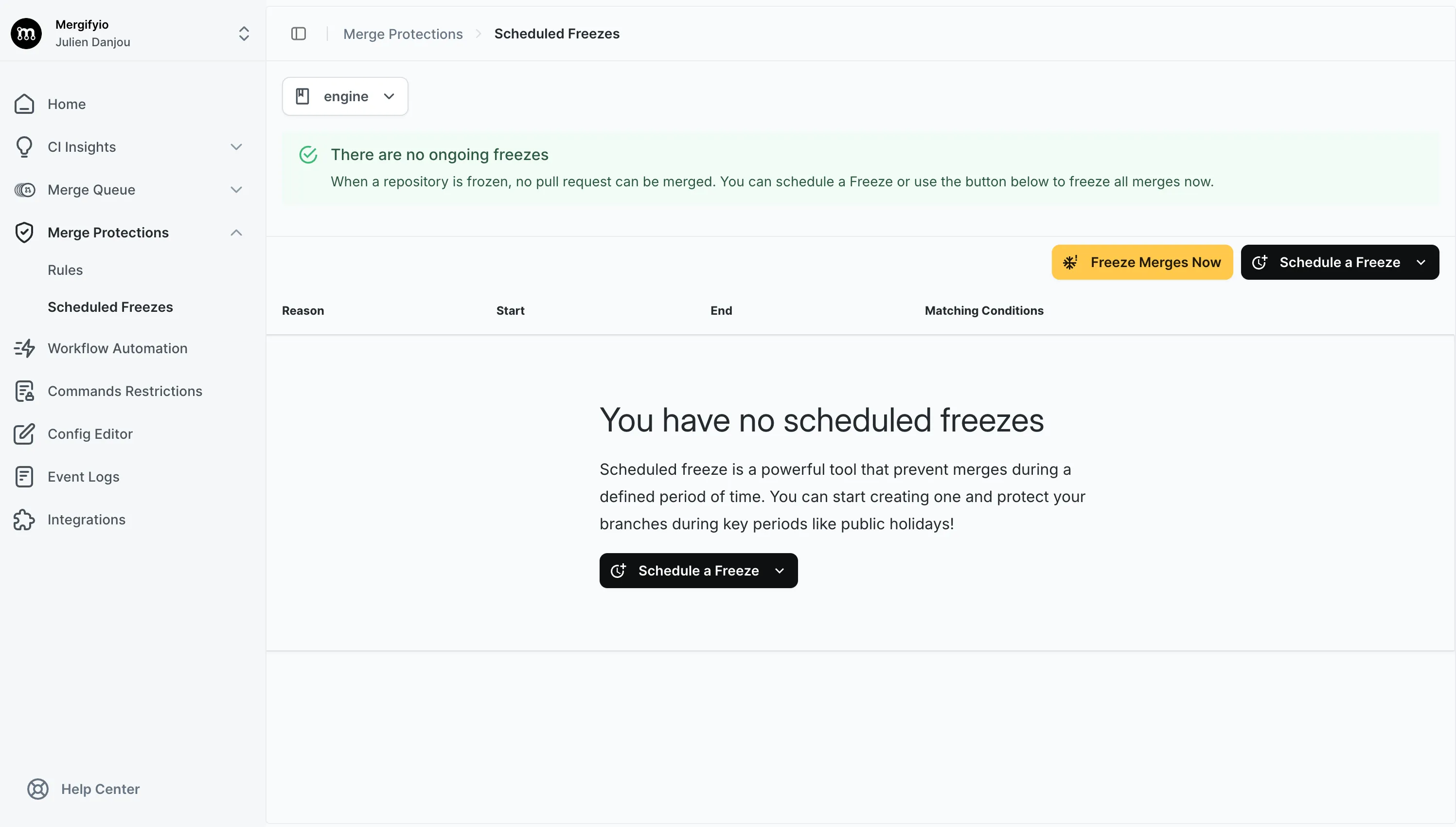
In the dashboard under Merge Protections → Scheduled Freezes:
-
Click
Schedule a Freeze -
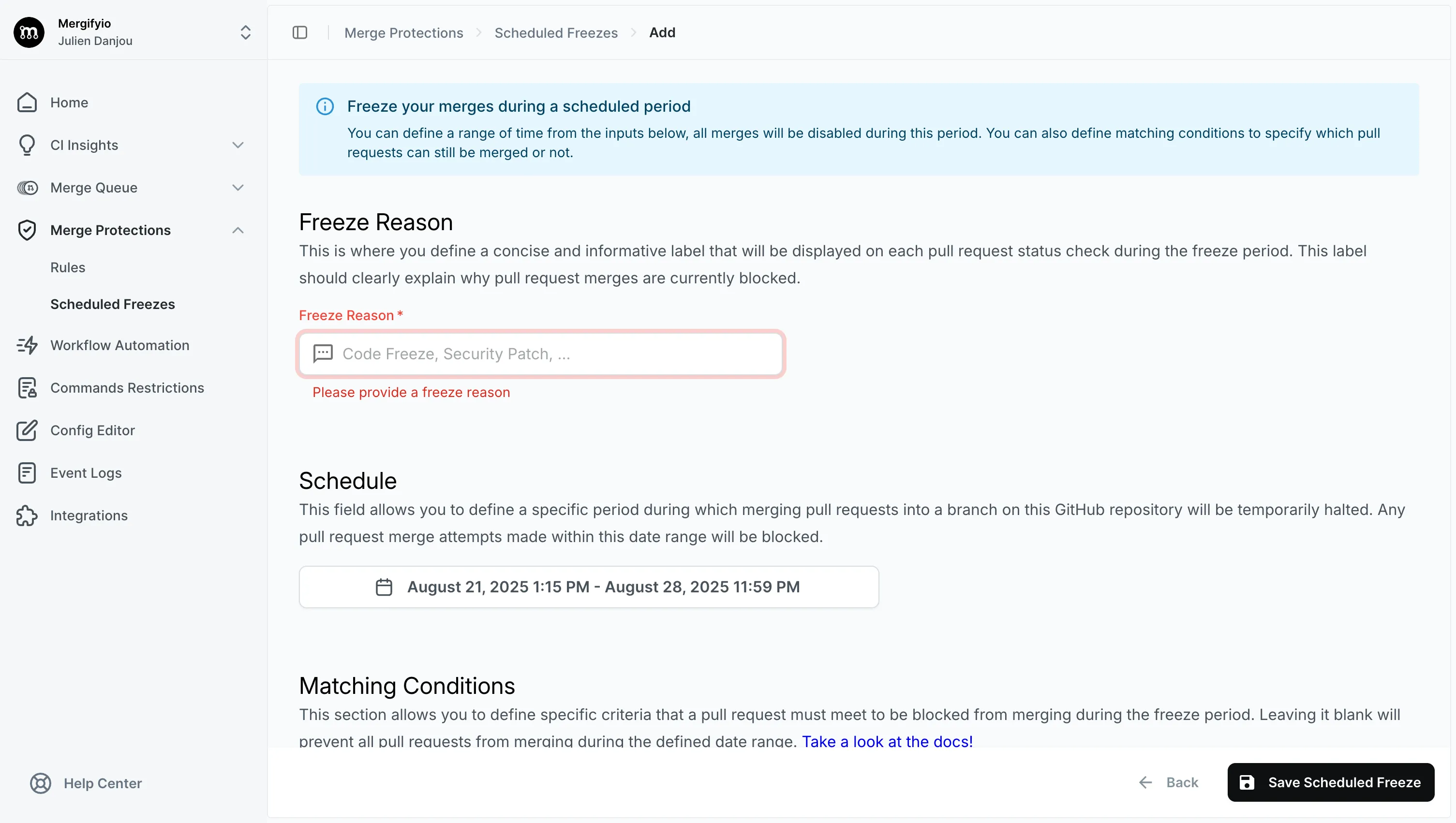
Fill in
Freeze Reason, which is required and names the freeze wherever Mergify reports it -
Under
Schedule, setFromandTo, and the timezone they are expressed in -
Add
Matching Conditions: by default the freeze applies to every pull request, but you can limit its scope with this field -
Add
Exclude Conditions: a pull request that matches all of them is allowed through the freeze, so specific pull requests (like hotfixes) can still merge while everything else is blocked -
Save; active freezes appear in the list
Without the merge queue, an active freeze leaves the Mergify Merge Protections check pending on every matching pull request, and its summary
names the freeze holding it back: waiting for that freeze to end, or, when the
freeze has no end date, waiting for someone to remove it. Pull requests
matching the freeze’s exclude conditions are left alone (see Allowing
Exceptions below), as are pull requests that cannot be
merged anyway: drafts, closed ones, and conflicting ones.
When the merge queue is enabled, the freeze is reported in that check but is not what decides its conclusion. The queue holds the merge back until the freeze ends.
Manual Instant Freeze
Section titled Manual Instant FreezeUse the Freeze Merges Now action for immediate blocking. You can later
unfreeze manually.
Recurring Merge Windows
Section titled Recurring Merge WindowsA freeze covers a single window: it has one start and one end, and nothing
repeats it. To block merges on a recurring basis, such as outside working hours
or every weekend, write a merge protection
rule with a schedule condition instead:
merge_protections: - name: Merge during working hours description: Only merge between 9am and 5pm, Monday to Friday if: - base = main success_conditions: - schedule = Mon-Fri 09:00-17:00[America/Chicago]Outside the window the rule is pending, so the Mergify Merge Protections
check holds the pull request back the same way an active freeze does; the rule
passes again once the window reopens. See
schedule for the accepted formats.
Allowing Exceptions
Section titled Allowing ExceptionsTo let specific pull requests through a freeze, use exclude conditions. They
are combined with a logical AND: a pull request escapes the freeze only when it
matches all of them. Exclude conditions label=hotfix and label=urgent let
through pull requests carrying both labels, not those carrying only one.
Set exclude conditions when you create or edit a freeze, either in the
dashboard or from the CLI with the -e flag (see Creating a
Freeze below). For example, exclude pull requests labeled
hotfix so urgent fixes can still merge during the freeze.
Managing Freezes with the CLI
Section titled Managing Freezes with the CLIYou can also manage freezes from the command line with the Mergify CLI. The
examples below cover the common workflows; the freeze CLI
reference lists every command, flag, and option.
Listing Freezes
Section titled Listing FreezesList all scheduled freezes for a repository:
mergify freeze listUse --json to get machine-readable output:
mergify freeze list --jsonCreating a Freeze
Section titled Creating a FreezeCreate a time-bounded freeze:
mergify freeze create \ --reason "Release stabilization" \ --timezone UTC \ --start 2024-01-15T18:00:00 \ --end 2024-01-15T22:00:00Create an emergency freeze with no end time:
mergify freeze create \ --reason "Incident response" \ --timezone UTCYou can restrict which pull requests are affected with matching conditions
(-c) and let specific ones through with exclude conditions (-e):
mergify freeze create \ --reason "Freeze main branch" \ --timezone UTC \ -c "base=main" \ -e "label=hotfix"Here the freeze applies to pull requests targeting main, except those labeled
hotfix, which can still merge.
Updating a Freeze
Section titled Updating a FreezeModify an existing freeze by its ID:
mergify freeze update <freeze_id> \ --end 2024-01-16T06:00:00Deleting a Freeze
Section titled Deleting a FreezeRemove a freeze by its ID:
mergify freeze delete <freeze_id>Was this page helpful?
Thanks for your feedback!